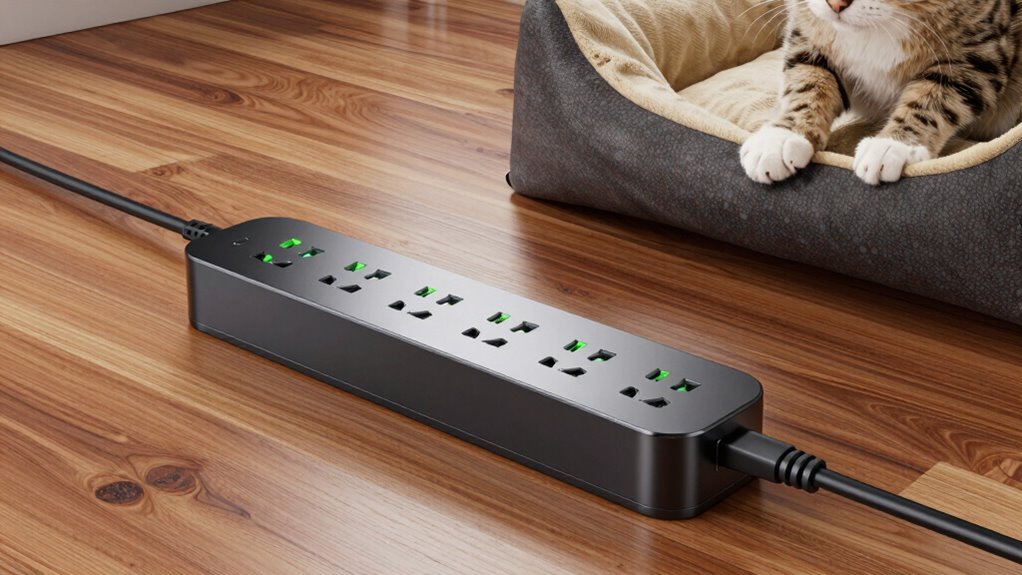

For pet gear, I’d put the Tapo P316M first for its Matter support and energy monitoring, while the Kasa HS300 stands out for six individually controlled outlets and the Kasa KP303 for a simpler, smaller setup. The right choice depends on how many devices need separate schedules, whether your pet’s feeder or fountain should stay powered during Wi-Fi trouble, and how much room you have near the outlet. Surge protection is useful, but it does not replace checking the strip’s protection rating or following the device maker’s power guidance. Smart features can help manage lights, fountains, and other compatible gear, but they cannot make an unsafe placement safe around water or chewing. Read on for the full comparison and guidance on matching a strip to your pet’s routine.

Get pet supplies delivered free with Prime
- Fast, free delivery on millions of items
- Prime Video, Amazon Music and more included
- Member-only deals all year
Complete the kit



Key Takeaways
- The amazon.com/dp/B0F5LNYTR7?tag=aplaceforanimals-20&ascsubtag=dc-893061″ target=”_blank” rel=”nofollow sponsored noopener”>Tapo P316M leads on connected-home flexibility: Matter support and energy monitoring make it the clearest fit for buyers who value platform compatibility and power visibility.
- The Kasa HS300 prioritizes device-by-device control: six outlets can be managed individually, a useful distinction when several pet devices need different schedules.
- The KP303 is the simpler Kasa choice: its three smart outlets and two USB ports suit a compact group of devices, but it offers fewer controlled AC outlets than the HS300.
- Outlet count is not the same as smart outlet count: models in this lineup differ in which AC outlets are individually controlled, so match the control layout to your actual gear.
- Cord length and placement deserve equal attention: the six-foot LINKVOLT cord offers more reach than the three-foot Geeni option, but no strip should sit where pets can chew it or water can reach it.
| LINKVOLT Smart Wi-Fi Power Strip with Surge Protection, 3 Outlets and 6 ft Cord |  | Best for Basic Pet Gear | AC outlets: 3 independently controlled | Wi-Fi: 2.4 GHz | App: Smart Life | VIEW ON AMAZON | See Our Full Breakdown |
| Kasa Smart Wi-Fi Power Strip KP303 with 3 Smart Outlets and 2 USB Ports |  | Best for Pet Gear and USB Accessories | AC outlets: 3 individually controlled | USB ports: 2 | Voltage: 125 V | VIEW ON AMAZON | See Our Full Breakdown |
| Tapo P316M Matter Smart Wi-Fi Power Strip with Energy Monitoring |  | Best for Smart Home Integration | Smart home standard: Matter | AC outlets: 6 individually controlled | USB ports: 3 always-on, 5 V 2.4 A | VIEW ON AMAZON | See Our Full Breakdown |
| Yozisital Smart Power Strip with 6 Smart Outlets, 4 USB Ports, and 5 ft Flat Plug Cord |  | Best for Mixed Pet Gear and Charging | AC outlets: 8 total: 6 smart and 2 standard | USB ports: 4: 2 USB-A and 2 USB-C | Cord length: 5 ft | VIEW ON AMAZON | See Our Full Breakdown |
| Kasa Smart Plug Power Strip HS300 with 6 Outlets and 3 USB Ports |  | Best Overall for Pet Gear | Smart outlets: 6 independently controlled | USB ports: 3 | Input: 100–125 V, 60 Hz, 15 A | VIEW ON AMAZON | See Our Full Breakdown |
| Geeni Surge Ultra Smart 8-Outlet Surge Protector |  | Best Overall for Multi-Device Pet Setups | Outlets: 8 total: 6 individually controlled smart outlets and 2 always-on outlets | Surge protection: 1,200 joules | USB ports: 3 | VIEW ON AMAZON | See Our Full Breakdown |
| Amazon Basics Smart Power Strip with 6 Individually Controlled Outlets and 3 USB Ports |  | Best for Alexa-First Homes | AC outlets: 6 individually controlled outlets | USB ports: 3: 2 USB-A and 1 USB-C | Wi-Fi: 2.4 GHz | VIEW ON AMAZON | See Our Full Breakdown |
| Geeni Smart Surge Protector Power Strip with 6 Wi-Fi Outlets and 3 ft Cord |  | Best for Energy Monitoring | Outlets: 6 individually controlled Wi-Fi outlets | Surge protection: 300 joules | Cord length: 3 ft | VIEW ON AMAZON | See Our Full Breakdown |
| UseeLink Wi-Fi Smart Power Strip with 4 AC Outlets and 4 USB Ports |  | Best for USB-Heavy Pet Stations | AC outlets: 4 | USB ports: 4 | USB output: 5 V/1 A per port; 2.1 A maximum | VIEW ON AMAZON | See Our Full Breakdown |
| smart power strip with surge protection for pet gear | USB ports | AC outlets | Cord length | Voltage |
|---|---|---|---|---|
| LINKVOLT Smart Wi-Fi Power Str | — | 3 independently controlled | 6 ft | — |
| Kasa Smart Wi-Fi Power Strip K | 2 | 3 individually controlled | — | 125 V |
| Tapo P316M Matter Smart Wi-Fi | 3 always-on, 5 V 2.4 A | 6 individually controlled | 37 inches | 120 V |
| Yozisital Smart Power Strip wi | 4: 2 USB-A and 2 USB-C | 8 total: 6 smart and 2 standard | 5 ft | 125 V |
| Kasa Smart Plug Power Strip HS | 3 | — | — | — |
| Geeni Surge Ultra Smart 8-Outl | 3 | — | 6 ft | — |
| Amazon Basics Smart Power Stri | 3: 2 USB-A and 1 USB-C | 6 individually controlled outlets | — | 120 V |
| Geeni Smart Surge Protector Po | — | — | 3 ft | 125 V AC |
| UseeLink Wi-Fi Smart Power Str | 4 | 4 | 5 ft | — |
More Details on Our Top Picks
LINKVOLT Smart Wi-Fi Power Strip with Surge Protection, 3 Outlets and 6 ft Cord
For a small pet setup, the LINKVOLT keeps control simple: I can schedule or switch each of its three outlets independently through Smart Life or voice commands, without adding a hub. That suits a feeder, fountain, and one other device better than the larger Kasa HS300, which has more outlets and energy monitoring but takes up more space. The LINKVOLT also has a six-foot cord, useful when the nearest wall outlet is not beside the feeding area, plus 1080-joule surge protection and overload protection. Its limits are clear: three outlets leave little room to expand, and it only connects to 2.4 GHz Wi-Fi. I’d choose it for a compact, scheduled setup, not a household with several pet devices competing for sockets.
Pros:- Each of the three AC outlets can be controlled independently by app or voice.
- Timers, schedules, and Away Mode can automate recurring pet-care routines.
- 1080-joule surge protection and overload protection add safeguards for connected gear.
- Six-foot cord offers more placement flexibility than the Tapo P316M’s 37-inch cord.
Cons:- Three AC outlets limit expansion for homes with several pet devices.
- Requires a 2.4 GHz Wi-Fi network.
- No USB ports are listed for charging small accessories.
Best for: Pet owners automating up to three devices, such as a feeder, fountain, and heat mat, who want a longer cord and straightforward app control.
Not ideal for: Homes with multiple pets or several powered devices, since three outlets offer less capacity than the Tapo P316M or Kasa HS300.
- AC outlets:3 independently controlled
- Wi-Fi:2.4 GHz
- App:Smart Life
- Voice control:Supported
- Surge protection:1080 joules
- Cord length:6 ft
- Maximum power:1875 W
- Safety certification:ETL
Our verdict“Choose the LINKVOLT for a compact, three-device pet setup that benefits from individual scheduling and a longer cord.”
Kasa Smart Wi-Fi Power Strip KP303 with 3 Smart Outlets and 2 USB Ports
The KP303 makes sense when a small pet-care station needs both controlled AC power and places to charge accessories. Its three individually controlled outlets can handle gear such as a feeder or fountain, while two USB ports add charging without using another AC socket. Compared with the LINKVOLT, it trades that model’s stated six-foot cord and 1080-joule surge figure for USB ports and named Alexa, Google Assistant, and Cortana compatibility. The KP303 has ETL-certified surge protection, though the supplied specifications do not give a joule rating, so I can’t compare its surge capacity directly with LINKVOLT. The USB ports are not smart outlets, and this strip still depends on Wi-Fi and a compatible mobile device. It suits modest setups; the six-outlet HS300 is a better fit when pet gear is multiplying.
Pros:- Three AC outlets are individually controlled through the app or voice assistants.
- Two USB ports provide charging without occupying an AC outlet.
- ETL-certified surge protection is specified.
- Two-year warranty is longer than the one-year warranty listed for the Yozisital.
Cons:- USB ports are not individually controlled outlets.
- Requires Wi-Fi and a compatible mobile device for smart features.
- Surge protection is listed without a joule rating in the supplied product data.
Best for: Pet owners with a few scheduled AC devices plus USB-charged accessories who use Alexa, Google Assistant, or Cortana.
Not ideal for: Buyers needing more than three controlled AC sockets, outlet-by-outlet energy monitoring, or a specified surge rating.
- AC outlets:3 individually controlled
- USB ports:2
- Voltage:125 V
- Maximum current:15 A
- Dimensions:10.24 × 2.5 in
- Weight:1.1 lb
- Voice assistants:Alexa, Google Assistant, Microsoft Cortana
- Warranty:2 years
Our verdict“Pick the KP303 when three smart AC outlets and two USB charging ports suit your pet station better than the LINKVOLT’s longer cord.”
Tapo P316M Matter Smart Wi-Fi Power Strip with Energy Monitoring
The Tapo P316M is the strongest fit here for a pet setup that needs detailed control rather than just remote switching. It offers six independently controlled outlets, per-outlet energy monitoring, scheduling, and automatic overcharge shutoff. Its Matter support also gives buyers a route to control it through Alexa, Google Home, Apple HomeKit, or SmartThings, a broader platform choice than the Smart Life-based Yozisital. Local control is listed as available during internet outages, which can help keep routines accessible when a connection drops. The tradeoff is placement: its cord is only 37 inches, much shorter than the LINKVOLT’s six feet, and the three USB ports are always on rather than independently controlled. I’d choose it for a multi-device station with smart-home needs, not for a far-from-outlet location.
Pros:- Six independently controlled AC outlets accommodate a larger pet-care setup.
- Energy monitoring for each AC outlet can help identify device use.
- Matter compatibility spans Alexa, Google Home, Apple HomeKit, and SmartThings.
- Local control and scheduling are listed, along with automatic overcharge shutoff.
Cons:- The 37-inch cord is shorter than the LINKVOLT’s six-foot cord.
- USB ports are always on and are not individually controlled.
- Requires 2.4 GHz Wi-Fi.
Best for: Smart-home households running several pet devices who want per-outlet energy information and compatibility across major platforms.
Not ideal for: Owners placing a strip far from the wall outlet or anyone who needs USB ports to switch or schedule independently.
- Smart home standard:Matter
- AC outlets:6 individually controlled
- USB ports:3 always-on, 5 V 2.4 A
- Connectivity:2.4 GHz Wi-Fi
- Maximum current:15 A
- Voltage:120 V
- Cord length:37 inches
- Compatible platforms:Alexa, Google Home, Apple HomeKit, Samsung SmartThings
- Dimensions:16.2 × 4.8 × 1.9 inches
Our verdict“Choose the Tapo P316M for a multi-device pet station where platform flexibility and outlet-level energy monitoring matter more than cord reach.”
Yozisital Smart Power Strip with 6 Smart Outlets, 4 USB Ports, and 5 ft Flat Plug Cord
The Yozisital packs a lot of connection options into one strip: six smart AC outlets, two standard AC outlets, and four USB ports. That mix works for a busy pet station where some devices need schedules but others simply need power, with USB-A and USB-C available for small accessories. Compared with the Tapo P316M, Yozisital provides more USB ports and a five-foot cord, while Tapo adds Matter compatibility, energy monitoring, and local control. Yozisital’s six smart sockets use the Smart Life app and support Alexa and Google Home, but its product data does not list surge protection details. That makes it harder to judge protection for sensitive pet equipment than on the Kasa HS300, which specifies ETL-certified surge protection. I’d favor Yozisital for connection variety, while buyers focused on documented protection should compare alternatives carefully.
Pros:- Six individually controlled smart outlets allow separate schedules for pet devices.
- Two standard AC outlets add capacity for devices that do not need smart control.
- Four USB ports include both USB-A and USB-C.
- Five-foot cord offers more reach than the Tapo P316M’s 37-inch cord.
Cons:- The supplied product data does not specify surge protection details.
- Works only with 2.4 GHz Wi-Fi.
- One-year warranty is shorter than the two years listed for the Kasa KP303.
Best for: Pet owners connecting several AC devices and USB accessories who want six scheduled outlets and a five-foot cord.
Not ideal for: Buyers who prioritize clearly specified surge protection or need smart-home support beyond Alexa and Google Home.
- AC outlets:8 total: 6 smart and 2 standard
- USB ports:4: 2 USB-A and 2 USB-C
- Cord length:5 ft
- Voltage:125 V
- Maximum current:15 A
- Wi-Fi:2.4 GHz only
- Voice assistants:Alexa and Google Home
- Warranty:1 year
Our verdict“Choose Yozisital for a crowded pet-care station that needs many outlet types, but favor a model with documented surge protection if that is your priority.”
Kasa Smart Plug Power Strip HS300 with 6 Outlets and 3 USB Ports
The HS300 earns the broadest recommendation for pet gear because it combines six independently controlled outlets with outlet-level energy monitoring and ETL-certified surge protection. I can assign separate schedules to devices such as a feeder, fountain, and lights, while monitoring helps distinguish the power use of one appliance from another. Compared with the Tapo P316M, the HS300 has three USB ports but does not list Matter compatibility or local control during internet outages; Tapo is the better match for buyers committed to newer cross-platform smart-home integration. The HS300’s 1875 W maximum total load also sets a clear ceiling, so it is not a license to connect every high-draw appliance at once. Its size and app requirements make it less appealing for a tiny station, but for a larger setup it balances control, monitoring, and stated surge protection well.
Pros:- Six independently controlled outlets support separate schedules for pet equipment.
- Energy monitoring helps track consumption by outlet.
- ETL-certified surge protection is specified.
- Three USB ports add charging options without using AC sockets.
Cons:- Maximum total load is 1875 W, so connected equipment must stay within that limit.
- App use requires iOS 10 or Android 4.4 or later.
- Does not list Matter support, unlike the Tapo P316M.
Best for: Pet owners managing several powered devices who want individual outlet control, energy monitoring, and specified surge protection.
Not ideal for: Buyers with a cramped setup, those needing Matter or listed local control during internet outages, or anyone whose connected load could exceed 1875 W.
- Smart outlets:6 independently controlled
- USB ports:3
- Input:100–125 V, 60 Hz, 15 A
- Maximum total load:1875 W
- Surge protection:ETL-certified
- Plug type:Type B, 3-prong
- Dimensions:14.17 × 2.49 inches
- Weight:702 g
- Voice assistants:Alexa, Google Assistant, Microsoft Cortana
Our verdict“Choose the HS300 for a larger pet setup that needs six controlled outlets, energy monitoring, and stated ETL-certified surge protection.”
Geeni Surge Ultra Smart 8-Outlet Surge Protector
For a pet station with a feeder, camera, fountain, and other gear, the Geeni Surge Ultra offers a useful split: six outlets are independently smart-controlled, while two stay always on for devices you do not want switched off by a schedule. Its 1,200-joule surge protection also gives it a stronger stated surge rating than the 300-joule Geeni Smart Surge Protector, though neither rating guarantees protection against every electrical event. Alexa and Google Assistant support make it more flexible than the Alexa-only Amazon Basics strip, and it needs no hub. The tradeoff is that smart control depends on Wi-Fi, and the USB ports are not described as individually controlled. I would pick it for a busy pet corner, but skip it if every connected device must be switched remotely.
Pros:- Six outlets can be controlled individually through the Geeni app
- Two always-on outlets suit equipment that should not be switched off remotely
- 1,200-joule surge protection is a stated advantage over the 300-joule Geeni Smart Surge Protector
- Works with Alexa and Google Assistant without a hub
Cons:- Smart control requires a Wi-Fi connection
- Only six of the eight AC outlets are smart-controlled
- The provided details do not specify individual control or charging output for the USB ports
Best for: Pet owners powering several devices who want six separately controlled outlets plus two outlets reserved for always-on equipment.
Not ideal for: Buyers who need every outlet to be smart-controlled or want pet gear to remain controllable during Wi-Fi outages.
- Outlets:8 total: 6 individually controlled smart outlets and 2 always-on outlets
- Surge protection:1,200 joules
- USB ports:3
- Cord length:6 ft
- Maximum current:15 A
- Connectivity:Wi-Fi; hub not required
- Voice assistants:Amazon Alexa and Google Assistant
- Plug type:Type B, 3-pin (North American)
Our verdict“Choose this Geeni when you need flexible control for multiple pet devices while keeping two essentials continuously powered.”
Amazon Basics Smart Power Strip with 6 Individually Controlled Outlets and 3 USB Ports
The Amazon Basics strip suits a pet setup built around Alexa routines: its six individually controlled outlets can be scheduled, grouped, or operated remotely in the Alexa app. That can help separate a feeder or lamp schedule from equipment that should stay on, provided you plan which devices use the strip. Unlike the Geeni Surge Ultra, it has no stated always-on outlets, and the supplied product details do not give a surge-protection rating, so I would not choose it on surge protection alone. Its three USB ports include USB-C alongside two USB-A ports, useful for charging small accessories without using an AC outlet. The main compromise is platform lock-in: it works with Alexa only and requires 2.4 GHz Wi-Fi. Buyers using Google Home should favor a compatible alternative.
Pros:- Six AC outlets can be controlled individually or grouped
- Three USB ports include one USB-C and two USB-A
- Alexa app supports remote control, schedules, and routines
- No hub is required
Cons:- Compatible with Alexa only
- Requires a 2.4 GHz Wi-Fi connection
- The provided product details do not state a surge-protection rating or always-on outlets
Best for: Alexa households that want to schedule or group six pet-gear devices and use USB-C for charging small accessories.
Not ideal for: Google Home users or buyers who require a clearly stated surge-protection rating and dedicated always-on outlets.
- AC outlets:6 individually controlled outlets
- USB ports:3: 2 USB-A and 1 USB-C
- Wi-Fi:2.4 GHz
- Voice assistant:Amazon Alexa only
- Voltage:120 V
- Maximum current:15 A
- Weight:1.2 lb
- Enclosure material:Polycarbonate
Our verdict“Pick this strip for Alexa-centered pet routines, but choose a model with a stated surge rating if that is your main priority.”
Geeni Smart Surge Protector Power Strip with 6 Wi-Fi Outlets and 3 ft Cord
The standout here is real-time energy monitoring, which gives pet owners a way to check the power use of connected equipment rather than relying only on on/off schedules. Six outlets are independently controlled through the Geeni app, Alexa, or Google Assistant, so it offers broader assistant support than the Alexa-only Amazon Basics strip. The short 3-foot cord can suit a nearby outlet and a compact pet station, but it limits placement compared with the 6-foot Geeni Surge Ultra. Its 300-joule surge rating is also much lower than the Surge Ultra’s stated 1,200 joules. That makes this a better fit for monitoring and control close to an outlet than for buyers prioritizing the stronger stated surge rating or a longer reach.
Pros:- Six independently controlled Wi-Fi outlets
- Real-time energy monitoring helps track connected equipment
- Supports the Geeni app, Alexa, and Google Assistant
- Includes surge protection and a mountable design
Cons:- 300-joule surge rating is below the Geeni Surge Ultra’s stated 1,200 joules
- 3-foot cord restricts placement
- The listed current figures are inconsistent: 15 A maximum current and 10 A amperage
Best for: Pet owners who want to monitor connected devices’ energy use and can place the strip close to a wall outlet.
Not ideal for: Buyers seeking a longer cord or a higher stated surge rating, or those placing the strip far from an outlet.
- Outlets:6 individually controlled Wi-Fi outlets
- Surge protection:300 joules
- Cord length:3 ft
- Voltage:125 V AC
- Current:Product data lists 15 A maximum current and 10 A amperage
- Energy monitoring:Real-time monitoring
- Compatible assistants:Amazon Alexa and Google Assistant
- Warranty:1-year limited
Our verdict“Choose this Geeni for outlet-by-outlet control and energy monitoring near a wall outlet, not for extended reach or the higher stated surge rating.”
UseeLink Wi-Fi Smart Power Strip with 4 AC Outlets and 4 USB Ports
The UseeLink is the most USB-focused choice here, with four AC outlets and four USB ports in a compact body. That layout can suit a pet station with a few mains-powered devices plus several USB-powered accessories, though its USB output is limited to 5 V/1 A per port and 2.1 A maximum overall. The app can control outlets individually, but Alexa controls the entire strip as a unit; compared with the Geeni Surge Ultra, that means less useful voice control when only one feeder or light should switch. It supports Alexa and Google Home and lists surge, overload, over-current, and short-circuit protection. However, no surge-joule rating is provided, and it requires 2.4 GHz Wi-Fi. I would favor it for USB capacity, not fine-grained voice routines.
Pros:- Four AC outlets and four USB ports accommodate mixed-device setups
- App supports individual outlet control, timers, and schedules
- Compatible with Alexa and Google Home
- Lists surge, overload, over-current, and short-circuit protection
Cons:- Alexa controls the whole strip rather than individual outlets
- USB output is limited to 5 V/1 A per port and 2.1 A maximum
- No surge-protection joule rating is provided; Wi-Fi is limited to 2.4 GHz
Best for: Pet owners with several USB-powered accessories and a small number of AC devices who prefer app-based outlet control.
Not ideal for: Alexa users who need to control pet devices one by one by voice, or buyers who require a stated surge-joule rating.
- AC outlets:4
- USB ports:4
- USB output:5 V/1 A per port; 2.1 A maximum
- Wi-Fi:2.4 GHz
- Cord length:5 ft
- Dimensions:7.8 × 3.4 × 1.1 in
- Protection features:Surge, overload, over-current, and short-circuit protection
- Compatible assistants:Alexa and Google Home
Our verdict“Choose the UseeLink for a compact, USB-heavy pet station controlled mainly through its app, not for individual Alexa voice commands.”

How We Picked
I ranked these nine strips around the needs of a pet setup, rather than treating outlet count or USB ports as the whole story. I weighed the number of individually controlled AC outlets, smart-home compatibility, scheduling and monitoring features, cord reach, and the usefulness of the layout for common gear such as feeders, fountains, lights, and cameras. Surge protection is part of the category promise, but buyers should check the specific protection rating and safety details for the exact model; the product names alone do not establish how much protection a device provides.
The top positions go to products with a stronger mix of pet-relevant control and practical flexibility. The Tapo P316M ranks ahead for Matter support and energy monitoring, while the HS300 earns a strong place for its six individually controlled outlets. Compact and simpler models rank lower when they trade away outlet capacity or flexibility, though that can make them a better fit for a small setup. I also considered cord length and layout, since a feature-rich strip is a poor match if it cannot be placed safely and conveniently.
Factors to Consider When Choosing Smart Power Strip With Surge Protection For Pet Gear
Before choosing a smart strip, map the devices you plan to connect and decide which ones actually need remote control. A pet setup has a different risk profile from a desk: water, chewing, and devices that should keep running all affect placement and scheduling. These checks help prevent a high outlet count from distracting from the details that matter day to day.
Separate Devices That Need Control From Devices That Must Stay On
List each device and mark whether it needs a schedule, remote shutoff, or uninterrupted power. A decorative light may be a good candidate for automation, while a feeder or water fountain may need to stay powered according to its maker’s instructions. Do not assume that every smart outlet can be set to the behavior you want after a power or network interruption; check the app and product documentation. Avoid automating a device if switching it off could disrupt feeding, hydration, or another essential routine. This distinction can make a three-outlet strip a better choice than a larger model with outlets you will never use.
Treat Surge Protection as One Layer, Not a Safety Guarantee
Look for the model’s documented surge-protection rating and read what its protection indicator or status means. A smart strip cannot prevent every electrical fault, and it does not replace safe wiring, a suitable wall outlet, or following appliance instructions. A strip may also lose protective capacity after a major surge, so check the manufacturer’s guidance on replacement and status checks. Do not daisy-chain strips or plug a strip into an extension cord unless the product maker explicitly permits that arrangement. For expensive or essential equipment, weigh whether a dedicated surge solution or backup power system is more appropriate.
Plan for Water, Chewing, and Tipping Before Measuring Outlets
Choose a placement where pets cannot reach the strip, cord, or plugs, and keep electrical connections well away from bowls, fountains, and damp cleaning areas. A longer cord can help reach a safer location, but extra slack can also create a tempting chew loop if it is left exposed. Use suitable cord management that does not trap heat or obstruct inspection, and do not hide a strip under bedding or rugs. If safe placement is not possible, a smart strip may be the wrong solution for that room. Outlet capacity matters only after the location is safe.
Check Cord Reach and Plug Shape Against the Room
Measure from the wall outlet to the intended mounting or placement point, then allow enough length for a relaxed cord path without stretching it. Flat plugs can help furniture sit closer to a wall, while a short cord may be easier to route but less flexible for keeping electronics out of reach. Check whether the strip body blocks neighboring wall outlets or whether a bulky adapter will cover adjacent sockets. Do not solve a reach problem by adding another strip unless the manufacturer allows it. A few minutes with a tape measure can prevent choosing a model whose smart features are difficult to use safely.
Match Smart-Home Features to Your Existing Setup
Confirm compatibility with the platform and voice assistant you already use, and check whether the controls rely on a particular app, hub, or Wi-Fi band. Matter support can be useful for buyers who want broader ecosystem flexibility, but it does not guarantee that every feature is exposed in every platform. Energy monitoring is most useful when you plan to check consumption or compare operating patterns; it adds little if you only need a basic on/off schedule. Consider who in the household needs access to controls and what happens if the internet is unavailable. Simple app control may be easier to maintain than a more elaborate setup if you only automate one or two accessories.
Frequently Asked Questions
Can I put a pet feeder or water fountain on a smart outlet?
Only if the device maker permits it and you can account for what happens when power is switched off. A scheduled outlet could interrupt a feeding cycle or stop a fountain, so avoid setting a routine that conflicts with the appliance’s own controls. If the strip loses Wi-Fi, check whether the outlet retains its last state or follows another default. For gear that supports a built-in schedule, using that feature may be simpler than controlling it through a strip. Keep the strip and connections away from spills and areas pets can reach.
Does a smart power strip protect pet equipment from every power surge?
No surge protector can promise protection from every electrical event. Check the exact model’s documented protection rating, status indicators, and instructions for replacing the unit after a significant surge. Protection ratings and warranties vary, so do not infer performance from the words “surge protector” alone. A strip also cannot correct unsafe wiring or replace a backup power source during an outage. For essential gear, consider what the device needs during both surges and power loss.
Should I choose more outlets or more individually controlled outlets?
Choose based on how many devices need separate schedules or remote control, not just how many plugs you can fit. If a feeder, fountain, camera, and light all need different routines, individually controlled outlets may be more useful than extra USB ports or always-on sockets. If most devices should remain powered continuously, a smaller strip can be easier to manage. Check the product’s outlet-by-outlet control details, since total outlet count does not mean every outlet is smart. Also confirm the combined load is within the strip’s stated limits.
Is energy monitoring useful for pet gear?
It can help you see how much power a connected device draws over time and spot changes worth investigating, but it is not a diagnostic tool. A sudden change does not prove that a fountain, heater, or other appliance is failing; consult its maker before acting on readings. Monitoring is most useful when you have a specific question, such as comparing operating patterns or tracking a device’s consumption. If you only want remote switching and timers, monitoring may add complexity without changing your decision. Check which outlets the feature applies to on the model you are considering.
What should I do if the smart strip cannot reach a safe spot?
Do not stretch the cord, route it where a pet can chew it, or move the strip closer to water just to make the connection work. Measure the route and choose a model with suitable cord length, or ask a qualified electrician about adding an outlet in a safer location. Follow the manufacturer’s rules on mounting and extension cords, and avoid covering the strip where heat can build up. If no safe location is available, skip the smart strip for that setup. Protecting access to the cord and plugs matters more than adding remote control.
Conclusion
Best overall: I’d choose the Tapo P316M for buyers who value Matter support and energy monitoring in one pet-gear setup. Best for multiple devices: the Kasa HS300 makes more sense when six individually controlled outlets match a larger collection of accessories. Best value for a compact setup: the Kasa KP303 is a sensible pick when three smart outlets and two USB ports cover the need. Best for beginners: I’d start with the KP303 if a few devices are all you need to manage, rather than paying attention to outlet capacity you will not use. Best for specific needs: choose the LINKVOLT when extra cord reach matters, or compare the Geeni and other higher-outlet-count options when their layout fits your equipment. Whichever you pick, confirm its documented surge rating, load limits, and safe placement before connecting pet gear.