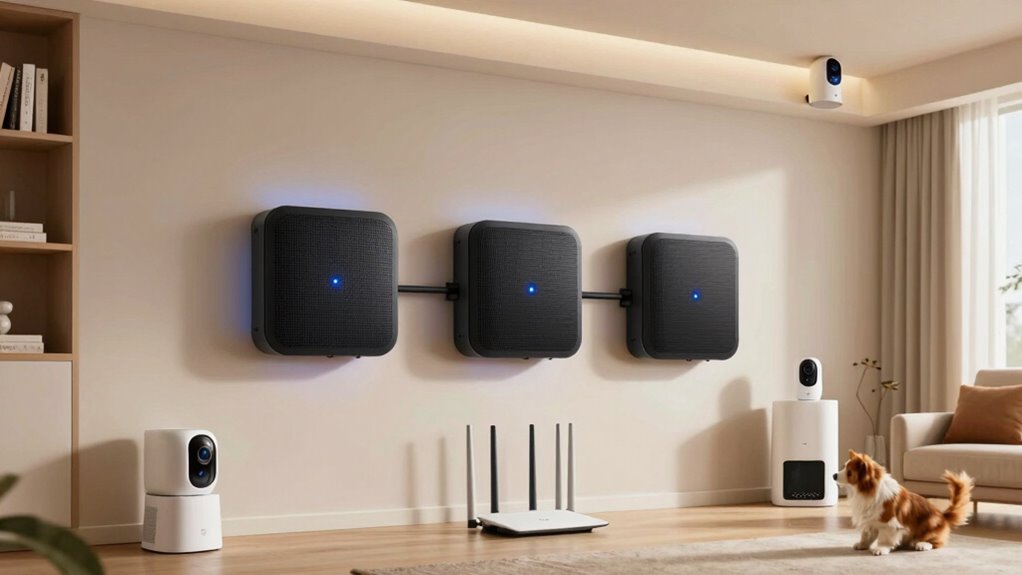

For multiple pet cameras across a house, I’d choose the TP-Link Deco X20 3-Pack as the best overall starting point: its Wi-Fi 6 support and three-node kit suit homes with several connected devices and cameras in different rooms. The DBIT D-MAX5 AX1800 3-Pack is another Wi-Fi 6 option, while the Cudy M1200 3-Pack is a simpler AC1200 alternative for buyers prioritizing a three-node layout over newer wireless standards. The main tradeoffs are coverage versus capacity, the number of nodes you need, and whether your cameras can use Ethernet backhaul. Camera count alone does not determine performance; resolution, upload demand, home layout, and other network traffic all matter. Read on for the full breakdown and guidance on choosing a setup for your home.

Get pet supplies delivered free with Prime
- Fast, free delivery on millions of items
- Prime Video, Amazon Music and more included
- Member-only deals all year
Complete the kit



Key Takeaways
- Wi-Fi 6 models are the clearest step up in this lineup: the Deco X20 and AX1800-class DBIT systems are stronger candidates for camera-heavy homes than AC1200 kits, though results still depend on the internet connection and camera workload.
- Node count and placement can matter more than the model name: several products come as three-packs, while the Deco X15 and Deco S4 options include two-node configurations that may suit smaller floor plans but leave fewer placement choices.
- The Deco X20 is the most balanced starting point because its three-node kit combines Wi-Fi 6 with a layout suited to spreading coverage across multiple camera locations.
- AC1200 kits remain relevant for simpler needs: Cudy, DBIT AC1200, Tenda Nova, and Deco M5/S4 models may fit modest camera use, but buyers should avoid treating their shared speed class as proof that they perform identically.
- Camera placement and upload capacity shape results: a mesh system cannot make a weak broadband upload connection or a poorly placed camera reliable, so check both before adding more hardware.
| Cudy M1200 AC1200 Whole-Home Mesh WiFi System, 3-Pack |  | Best for Basic Camera Setups | Pack size: 3 units | Wi-Fi standard: 802.11ac (Wi-Fi 5) | Combined Wi-Fi speed: Up to 1,200 Mbps | VIEW ON AMAZON | See Our Full Breakdown |
| DBIT D-MAX5 AX1800 Wi-Fi 6 Mesh System, 3-Pack |  | Best for Large Homes with Many Cameras | Pack size: 3 units | Wi-Fi generation: Wi-Fi 6 (802.11ax) | Wireless class: AX1800 dual-band | VIEW ON AMAZON | See Our Full Breakdown |
| TP-Link Deco X15 AX1500 Dual-Band Wi-Fi 6 Mesh System, 2-Pack |  | Best Compact Wi-Fi 6 Pick | Pack size: 2 units | Wi-Fi standard: Wi-Fi 6 (802.11ax) | Speed class: AX1500 dual-band | VIEW ON AMAZON | See Our Full Breakdown |
| DBIT AC1200 Whole Home Mesh WiFi System, 3-Pack |  | Best for Wired Camera Placement | Pack size: 3 units | Wi-Fi standard: 802.11ac (Wi-Fi 5) | Maximum combined data rate: 1,200 Mbps | VIEW ON AMAZON | See Our Full Breakdown |
| Tenda Nova AC1200 Dual-Band Mesh Wi-Fi System, 3-Pack |  | Best for Smaller, Simpler Camera Networks | Pack size: 3 units | Wi-Fi standard: Wi-Fi 5 (802.11ac) | Data transfer rate: 1,200 Mbps | VIEW ON AMAZON | See Our Full Breakdown |
| TP-Link Deco X20 Wi-Fi 6 Mesh System, 3-Pack |  | Best Overall for Multiple Pet Cameras | Pack size: 3 units | Wi-Fi generation: Wi-Fi 6 | Frequency band: Dual-band | VIEW ON AMAZON | See Our Full Breakdown |
| TP-Link Deco M5 Mesh Wi-Fi System, 3-Pack | 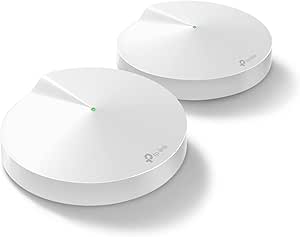 | Best for Simple Whole-Home Roaming | Pack size: 3 units | Wi-Fi standard: Wi-Fi 5 | Frequency band: Dual-band, 2.4 GHz and 5 GHz | VIEW ON AMAZON | See Our Full Breakdown |
| Tenda Nova MW6 AC1200 Dual-Band Mesh Wi-Fi System, 3-Pack |  | Best for Guest Camera Networks | Model: MW6-3PK | Pack size: 3 units | Wi-Fi generation: Wi-Fi 5 (802.11ac) | VIEW ON AMAZON | See Our Full Breakdown |
| Tenda Nova MW5G AC1200 Whole Home Mesh Wi-Fi System, 3-Pack |  | Best for a Straightforward 80-Device Setup | Pack size: 3 units | Wi-Fi standard: Wi-Fi 5 (802.11ac) | Frequency band: Dual-band, 2.4 GHz and 5 GHz | VIEW ON AMAZON | See Our Full Breakdown |
| TP-Link Deco S4 Whole Home Mesh WiFi System (2-Pack) |  | Best Compact Two-Node Option | Pack size: 2 units | Coverage: Up to 3,800 square feet | Wi-Fi speed: AC1900 | VIEW ON AMAZON | See Our Full Breakdown |
| DBIT AX1800 WiFi 6 Mesh System, 3-Pack |  | Best for Large Homes with Many Connected Cameras | Wi-Fi generation: Wi-Fi 6 | Wireless class: AX1800 dual-band | Maximum data rate: 1.8 Gbps | VIEW ON AMAZON | See Our Full Breakdown |
| TP-Link Deco S4 AC1900 Mesh Wi-Fi System, 3-Pack |  | Best for Straightforward Wi-Fi 5 Coverage | Wi-Fi standard: Wi-Fi 5 (802.11ac) | Wi-Fi class: AC1900 | Coverage: Up to 5,500 sq. ft. | VIEW ON AMAZON | See Our Full Breakdown |
| DBIT AX1500 Wi-Fi 6 Mesh System, 3-Pack |  | Best for Wiring Cameras and Mesh Nodes | Wi-Fi generation: Wi-Fi 6 | Wireless speed: Up to 1,500 Mbps | 2.4 GHz speed: 300 Mbps | VIEW ON AMAZON | See Our Full Breakdown |
| TP-Link Deco X15 AX1500 Wi-Fi 6 Mesh System, 3-Pack |  | Best Beginner-Friendly Wi-Fi 6 Pick | Wi-Fi generation: Wi-Fi 6 | Wi-Fi class: AX1500 | Frequency bands: Dual-band | VIEW ON AMAZON | See Our Full Breakdown |
| whole home wi fi mesh system for multiple pet camera | Pack size | Coverage | Ethernet ports | Wi-Fi standard |
|---|---|---|---|---|
| Cudy M1200 AC1200 Whole-Home M | 3 units | — | — | 802.11ac (Wi-Fi 5) |
| DBIT D-MAX5 AX1800 Wi-Fi 6 Mes | 3 units | — | — | — |
| TP-Link Deco X15 AX1500 Dual-B | 2 units | — | — | Wi-Fi 6 (802.11ax) |
| DBIT AC1200 Whole Home Mesh Wi | 3 units | — | 4 Gigabit ports per unit; 12 total | 802.11ac (Wi-Fi 5) |
| Tenda Nova AC1200 Dual-Band Me | 3 units | — | — | Wi-Fi 5 (802.11ac) |
| TP-Link Deco X20 Wi-Fi 6 Mesh | 3 units | Up to 5,800 square feet | 6 total; 2 per unit | — |
| TP-Link Deco M5 Mesh Wi-Fi Sys | 3 units | Up to 5,500 square feet | 6 total; 2 Gigabit ports per unit | Wi-Fi 5 |
| Tenda Nova MW6 AC1200 Dual-Ban | 3 units | 3,500 square feet in description; 6,000 square feet in specifications | — | — |
| Tenda Nova MW5G AC1200 Whole H | 3 units | Up to 3,500 square feet | — | Wi-Fi 5 (802.11ac) |
| TP-Link Deco S4 Whole Home Mes | 2 units | Up to 3,800 square feet | 4 total; 2 per unit | — |
| DBIT AX1800 WiFi 6 Mesh System | — | Up to 6,500 sq. ft. | 6 total; 2 per unit, Gigabit | — |
| TP-Link Deco S4 AC1900 Mesh Wi | 3 units | Up to 5,500 sq. ft. | 6 total; 2 per unit, Gigabit | Wi-Fi 5 (802.11ac) |
| DBIT AX1500 Wi-Fi 6 Mesh Syste | — | Up to 5,600 sq. ft. | 12 total; 4 per node, Gigabit | — |
| TP-Link Deco X15 AX1500 Wi-Fi | 3 units | Up to 5,600 sq. ft. | 6 total; 2 per unit, Gigabit | — |
More Details on Our Top Picks
Cudy M1200 AC1200 Whole-Home Mesh WiFi System, 3-Pack
For multiple pet cameras in a moderate-size home, the Cudy M1200 3-Pack offers three mesh nodes and listed coverage up to 4,000 sq. ft., helping extend a shared network to rooms where a single router may struggle. Seamless roaming can help phones and other mobile devices move between nodes, while support for 100+ devices leaves room for cameras and household gear. Compared with the DBIT D-MAX5, though, the Cudy uses Wi-Fi 5, lists lower wireless capacity, and has 10/100 Mbps LAN ports rather than Gigabit Ethernet. That makes it a better fit for modest internet plans and mostly wireless cameras than for high-resolution streams or fast wired connections. VPN and DNS encryption options add flexibility, but the listed wired limits are a meaningful tradeoff.
Pros:- Three nodes with listed coverage up to 4,000 sq. ft.
- Seamless roaming helps devices reconnect to a stronger node as they move around the home.
- Supports more than 100 connected devices.
- Includes OpenVPN, WireGuard, and other VPN options.
Cons:- 10/100 Mbps LAN ports limit wired connection speeds.
- Listed as suitable for internet plans up to 100 Mbps.
- Wi-Fi 5 offers less capacity headroom than the Wi-Fi 6 DBIT D-MAX5.
Best for: Households with several mostly wireless pet cameras, a home within the listed coverage area, and an internet plan up to 100 Mbps.
Not ideal for: Owners running high-resolution camera streams over wired connections or using an internet plan above 100 Mbps; its 10/100 Mbps LAN ports can constrain wired throughput.
- Pack size:3 units
- Wi-Fi standard:802.11ac (Wi-Fi 5)
- Combined Wi-Fi speed:Up to 1,200 Mbps
- Band speeds:2.4 GHz: 300 Mbps; 5 GHz: 867 Mbps
- Listed coverage:Up to 4,000 sq. ft.
- Device capacity:100+ devices
- LAN port bandwidth:10/100 Mbps
- Security and VPN support:WPA2-PSK; OpenVPN, WireGuard, PPTP, L2TP, and Zerotier
Our verdict“Choose the Cudy M1200 for a modest-speed home that needs three-node coverage and VPN options more than fast wired networking.”
DBIT D-MAX5 AX1800 Wi-Fi 6 Mesh System, 3-Pack
The DBIT D-MAX5 is the strongest fit here when cameras are spread across a large home: its three nodes list coverage up to 6,500 sq. ft., and the system supports up to 150 devices. Wi-Fi 6 and six total Gigabit Ethernet ports give it more capacity and wired flexibility than the Wi-Fi 5 Cudy M1200 or Tenda Nova AC1200. For cameras, that means you can wire compatible equipment or backhaul a node while keeping other devices on Wi-Fi. App and web management, guest networking, parental controls, and WPA3 round out a useful feature set. Its coverage figure is not a guarantee in every floor plan, however; walls and node placement affect results. Buyers in smaller homes may get a better-fitting, simpler setup from the two-node TP-Link Deco X15.
Pros:- Three-node system lists coverage up to 6,500 sq. ft.
- Wi-Fi 6 supports up to 150 connected devices.
- Six Gigabit Ethernet ports provide wired connection options across the nodes.
- Includes app and web management, guest networking, parental controls, and WPA3.
Cons:- Real-world coverage and performance depend on the home layout and conditions.
- Its three-node coverage may be more than a smaller home needs.
Best for: Owners of large or multi-floor homes with many connected cameras and devices who want Wi-Fi 6 and Gigabit wired connections at each node.
Not ideal for: People in smaller homes who do not need three nodes or broad listed coverage, or buyers who need a mesh system with performance guaranteed across difficult walls and layouts.
- Pack size:3 units
- Wi-Fi generation:Wi-Fi 6 (802.11ax)
- Wireless class:AX1800 dual-band
- Maximum data rate:Up to 1.8 Gbps
- Band speeds:2.4 GHz: 574 Mbps; 5 GHz: 1,201 Mbps
- Listed coverage:Up to 6,500 sq. ft.
- Maximum connected devices:150
- Ethernet:6 Gigabit ports total; 2 per unit
- Security:WPA-PSK, WPA2-PSK, and WPA3-SAE
Our verdict“Pick the D-MAX5 for a large, device-heavy home where broad coverage and Gigabit ports matter more than a compact system.”
TP-Link Deco X15 AX1500 Dual-Band Wi-Fi 6 Mesh System, 2-Pack
The TP-Link Deco X15 2-Pack suits homes that need a measured coverage upgrade rather than three separate nodes. Its listed reach of 3,900 sq. ft. and capacity for up to 120 devices give multiple pet cameras room to share the network with phones and smart-home gear, while Wi-Fi 6 provides a newer wireless standard than the Cudy M1200 and Tenda Nova AC1200. Four Gigabit ports and wired backhaul support are useful if you can connect the units by Ethernet: that can give a remote node a wired link instead of relying entirely on wireless communication. Against the three-unit DBIT D-MAX5, the X15 has fewer nodes and less listed coverage, but may be a more sensible fit for a smaller floor plan. It requires a modem for most providers, and some HomeShield features need premium service.
Pros:- Wi-Fi 6 system lists support for up to 120 connected devices.
- Coverage is listed up to 3,900 sq. ft. from two units.
- Four Gigabit Ethernet ports and wired backhaul support.
- App setup, parental controls, and WPA3 support are included.
Cons:- Two units offer less node-placement flexibility than the three-pack DBIT D-MAX5.
- A modem is required for most internet service providers.
- Some HomeShield features require premium service.
Best for: Owners of small-to-medium homes who want Wi-Fi 6, the option of wired backhaul, and capacity for multiple cameras without a three-node kit.
Not ideal for: People covering a large or sprawling home who need three nodes, or buyers who want every HomeShield security feature without a premium service.
- Pack size:2 units
- Wi-Fi standard:Wi-Fi 6 (802.11ax)
- Speed class:AX1500 dual-band
- Maximum speed:Up to 1,500 Mbps
- Band speeds:2.4 GHz: 300 Mbps; 5 GHz: 1,201 Mbps
- Listed coverage:Up to 3,900 sq. ft.
- Maximum connected devices:120
- Ethernet and backhaul:4 Gigabit ports total; wired Ethernet backhaul supported
- Security protocols:WPA-Personal, WPA2-Personal, and WPA3-Personal
Our verdict“Choose the Deco X15 2-Pack for a moderate-size home where Wi-Fi 6 and wired backhaul matter more than a third mesh node.”
DBIT AC1200 Whole Home Mesh WiFi System, 3-Pack
If several pet cameras or mesh nodes can connect by Ethernet, the DBIT D-MAC3 offers an unusual advantage at this level: each of its three units has four Gigabit ports, for 12 total. That creates more options for wiring cameras, a recorder, or a backhaul link than the Cudy M1200 and Tenda Nova AC1200, whose ports are limited to 10/100 Mbps. The system also lists coverage up to 6,000 sq. ft. and support for 90+ devices, making it a broad-coverage choice for a camera-heavy home. The tradeoff is its Wi-Fi 5 AC1200 rating, which provides less wireless capacity than the Wi-Fi 6 DBIT D-MAX5. Its listed coverage also cannot account for every wall or floor plan, and ISP compatibility varies by plan.
Pros:- Three nodes list coverage up to 6,000 sq. ft.
- Four Gigabit Ethernet ports on each unit provide 12 total ports.
- Supports more than 90 connected devices.
- Includes WPA3, guest networking, parental controls, and bridge mode.
Cons:- Wi-Fi 5 AC1200 has less wireless capacity than the Wi-Fi 6 DBIT D-MAX5.
- ISP compatibility varies by plan.
- Listed coverage may differ from results in homes with challenging layouts.
Best for: Homeowners with Ethernet runs to camera locations or mesh nodes who want many Gigabit ports and broad listed coverage across a larger home.
Not ideal for: Buyers who prioritize Wi-Fi 6 capacity or need the highest wireless throughput for a busy network; this is a Wi-Fi 5 AC1200 system.
- Pack size:3 units
- Wi-Fi standard:802.11ac (Wi-Fi 5)
- Maximum combined data rate:1,200 Mbps
- Band speeds:2.4 GHz: 300 Mbps; 5 GHz: 867 Mbps
- Listed coverage:Up to 6,000 sq. ft.
- Device capacity:90+ devices
- Ethernet ports:4 Gigabit ports per unit; 12 total
- Security:WPA-PSK, WPA2-PSK, and WPA3-SAE
- Management and features:Mobile app, web GUI, bridge mode, guest mode, IPTV (VLAN), and parental controls
Our verdict“Choose the D-MAC3 when Gigabit Ethernet access at multiple nodes is a priority and Wi-Fi 6 is not a requirement.”
Tenda Nova AC1200 Dual-Band Mesh Wi-Fi System, 3-Pack
The Tenda Nova AC1200 3-Pack is best matched to a smaller home with a modest number of cameras, not a sprawling property with a large stream of connected devices. Three units provide listed coverage up to 3,000 sq. ft., and seamless roaming keeps the home on one network name as devices move between nodes. Compared with the Cudy M1200, it has a lower stated device capacity—up to 40—so it leaves less room for cameras plus other smart-home equipment. It is also well behind the Wi-Fi 6 TP-Link Deco X15 in device capacity and wired flexibility. Beamforming, guest networking, and parental controls add practical basics, but its 10/100 Mbps LAN ports and WPA2-PSK security make it a limited choice for fast wired links or buyers seeking WPA3.
Pros:- Three-unit mesh system supports seamless roaming under one network name.
- Listed coverage reaches up to 3,000 sq. ft.
- Includes beamforming, guest networking, and parental controls.
- Setup and management are available through the Tenda Wi-Fi app.
Cons:- Device capacity is limited to 40, less than the Cudy M1200’s listed 100+.
- 10/100 Mbps LAN ports can limit wired speeds.
- Uses WPA2-PSK rather than WPA3 and is a Wi-Fi 5 system.
Best for: Owners of smaller homes with a few wireless pet cameras, a network of up to 40 devices, and an internet connection no faster than the system’s listed wired limits.
Not ideal for: Households with many cameras or smart-home devices, Gigabit wired camera links, or a need for WPA3 security and Wi-Fi 6.
- Pack size:3 units
- Wi-Fi standard:Wi-Fi 5 (802.11ac)
- Data transfer rate:1,200 Mbps
- Frequency bands:Dual-band
- Listed coverage:Up to 3,000 sq. ft.
- Device capacity:Up to 40 devices
- Ports:6 total; 10/100 Mbps LAN
- Security:WPA2-PSK
- Features and management:Beamforming, guest mode, parental controls, and Tenda Wi-Fi app
Our verdict“Pick the Tenda Nova AC1200 for a compact, basic camera network, but skip it if you expect many devices or need faster wired connections.”
TP-Link Deco X20 Wi-Fi 6 Mesh System, 3-Pack
The Deco X20 is my strongest fit for homes with several pet cameras because its three-node layout covers up to 5,800 square feet and supports up to 150 connected devices. Wi-Fi 6 gives it a newer foundation than the Wi-Fi 5 Deco M5 and the Tenda Nova MW6, a useful advantage when camera feeds share airtime with phones, TVs, and other connected devices. Its six Gigabit Ethernet ports and wired-backhaul support also give you a way to connect fixed equipment or link nodes by cable where your layout allows. The tradeoff is that its stated 1,800 Mbps transfer rate and dual-band design are not a guarantee of smooth video everywhere; node placement and your internet connection still matter. Most providers also require a separate modem, and some HomeShield features are limited.
Pros:- Three units are rated to cover up to 5,800 square feet.
- Wi-Fi 6 and support for up to 150 devices suit busy connected homes.
- Six Gigabit Ethernet ports and wired-backhaul support provide flexible node and device connections.
- App management, parental controls, and Alexa voice control are included.
Cons:- A separate modem is required for most internet providers.
- Some HomeShield security and reporting features are limited to the free tier.
- Dual-band Wi-Fi may have less room for simultaneous traffic than a tri-band system.
Best for: Households with multiple cameras spread across a large home that want Wi-Fi 6, generous device capacity, and the option of wired backhaul.
Not ideal for: Buyers who need a modem included or want all security and reporting features without limitations on the free HomeShield tier.
- Pack size:3 units
- Wi-Fi generation:Wi-Fi 6
- Frequency band:Dual-band
- Data transfer rate:1,800 Mbps
- Coverage:Up to 5,800 square feet
- Maximum connected devices:150
- Ethernet ports:6 total; 2 per unit
- Wired backhaul:Supported
- Voice control:Works with Alexa
Our verdict“Choose the Deco X20 if you need broad coverage and Wi-Fi 6 capacity for several pet cameras, and can supply your own modem.”
TP-Link Deco M5 Mesh Wi-Fi System, 3-Pack
The Deco M5 suits buyers who want three nodes to create one roaming network for cameras placed in different rooms, without paying for or configuring a newer Wi-Fi generation. Its rated coverage reaches 5,500 square feet, close to the Deco X20’s 5,800, and adaptive routing is intended to keep devices connected as they move between nodes. Six Gigabit ports and wired-backhaul support are especially practical if you can run Ethernet to improve links between units. Compared with the X20, though, the M5 uses older Wi-Fi 5 and lists a lower transfer rate of up to 1,300 Mbps, so I’d favor it for a straightforward camera network rather than a busier home with heavy concurrent use. It includes HomeCare security and parental controls, but most providers still require a separate modem.
Pros:- Three nodes are rated to cover up to 5,500 square feet.
- One network name and seamless roaming help devices stay connected across the home.
- Six Gigabit Ethernet ports and wired-backhaul support allow wired links and connections.
- HomeCare security and parental controls are included.
Cons:- Wi-Fi 5 and a listed transfer rate of up to 1,300 Mbps trail the Deco X20’s Wi-Fi 6 design.
- A modem is required for most internet providers.
- Dual-band design shares wireless capacity among connected devices.
Best for: Pet owners with cameras across several rooms who value simple roaming, wired-backhaul flexibility, and built-in parental controls over Wi-Fi 6.
Not ideal for: Households seeking the newer Wi-Fi 6 generation or those with a particularly busy network where higher listed capacity and speed matter.
- Pack size:3 units
- Wi-Fi standard:Wi-Fi 5
- Frequency band:Dual-band, 2.4 GHz and 5 GHz
- Data transfer rate:Up to 1,300 Mbps
- Coverage:Up to 5,500 square feet
- Ethernet ports:6 total; 2 Gigabit ports per unit
- Wired backhaul:Supported
- Security protocols:WPA-PSK, WPA2-PSK
- Voice assistant compatibility:Amazon Alexa
Our verdict“Pick the Deco M5 if you want broad, easy roaming for pet cameras and can trade Wi-Fi 6 for a familiar three-node setup.”
Tenda Nova MW6 AC1200 Dual-Band Mesh Wi-Fi System, 3-Pack
The Tenda Nova MW6 makes sense for camera owners who want a dedicated guest network for visitors’ devices alongside the main home network. Its three nodes use one network name and support MU-MIMO and beamforming, while the stated device limit is up to 90. That is a reasonable feature set for a modest camera setup, but it is less compelling for a high-demand home than the Wi-Fi 6 Deco X20, which supports up to 150 devices and has newer wireless technology. Coverage needs particular caution: the product description says 3,500 square feet, while its specifications claim 6,000, so I would not plan camera placement around the larger figure without checking the home’s layout and signal conditions. It also uses Wi-Fi 5 and lists WPA2-PSK security, making it a more basic option than the Deco M5’s stated security and parental-control bundle.
Pros:- Three nodes provide one network name for roaming around the home.
- MU-MIMO and beamforming support connections to multiple devices.
- A guest network and app-based setup and management are included.
- Six Gigabit Ethernet ports are available across the system.
Cons:- Coverage figures conflict: 3,500 square feet in the description versus 6,000 in the specifications.
- Wi-Fi 5 is an older generation than the Deco X20’s Wi-Fi 6.
- The listed security protocol is WPA2-PSK, with no broader security suite specified.
Best for: Pet owners in a modest-sized home who want app management, a guest network, and three mesh nodes without needing Wi-Fi 6.
Not ideal for: Buyers whose camera coverage depends on a reliable published range figure, or households planning a demanding, high-device-count network.
- Model:MW6-3PK
- Pack size:3 units
- Wi-Fi generation:Wi-Fi 5 (802.11ac)
- Speed class:AC1200
- Frequency band:Dual-band
- Coverage:3,500 square feet in description; 6,000 square feet in specifications
- Maximum supported devices:90
- Ports:6; LAN bandwidth up to 10/100/1000 Mbps
- Features:MU-MIMO, beamforming, guest network, parental control
Our verdict“Choose the MW6 for a guest-network feature set in a modest home, but avoid relying on its disputed coverage figure for distant cameras.”
Tenda Nova MW5G AC1200 Whole Home Mesh Wi-Fi System, 3-Pack
The Tenda Nova MW5G is a practical match for a home with a few pet cameras and other connected devices, with a stated limit of 80 devices and coverage up to 3,500 square feet. Its three nodes share one network name, while MU-MIMO and beamforming are intended to support multiple connections across the system. The six Gigabit LAN ports offer more wired flexibility than the two-unit Deco S4, which has four ports total, though the S4 lists greater coverage at 3,800 square feet. The MW5G stays with Wi-Fi 5, so it is not my choice for buyers who want the newer generation offered by the Deco X20. It does include guest networking and app management, plus Alexa and Google Assistant compatibility. Actual camera reach can vary with walls, node placement, and home layout.
Pros:- Three nodes provide coverage rated up to 3,500 square feet.
- Supports up to 80 devices with MU-MIMO and beamforming.
- Six Gigabit LAN ports allow wired connections across the system.
- Includes one-network roaming, guest networking, app management, and Alexa and Google Assistant support.
Cons:- Wi-Fi 5 is older than the Wi-Fi 6 used by the Deco X20.
- Coverage can vary with home layout and signal conditions.
- Its 80-device limit is lower than the Deco X20’s stated capacity of 150.
Best for: Owners of a small or mid-sized home with a moderate number of cameras who want three nodes, Gigabit ports, and guest networking.
Not ideal for: Households with many simultaneous devices or buyers who want Wi-Fi 6 and a higher stated device limit.
- Pack size:3 units
- Wi-Fi standard:Wi-Fi 5 (802.11ac)
- Frequency band:Dual-band, 2.4 GHz and 5 GHz
- Data transfer rate:Up to 1,200 Mbps
- Coverage:Up to 3,500 square feet
- Supported devices:Up to 80
- LAN ports:6 Gigabit Ethernet ports
- Features:MU-MIMO, beamforming, guest network, seamless roaming
- Voice assistants:Amazon Alexa, Google Assistant
Our verdict“The MW5G fits moderate camera setups that benefit from three nodes and wired ports, but larger or busier homes are better served by Wi-Fi 6 and more capacity.”
TP-Link Deco S4 Whole Home Mesh WiFi System (2-Pack)
The two-unit Deco S4 is the most compact choice here for buyers who want fewer nodes to position and need coverage rated up to 3,800 square feet. It supports up to 75 devices, so it can suit a household with several cameras and a moderate number of other connected products, but it offers less device headroom than the three-unit Deco X20. The S4 includes four Gigabit Ethernet ports across its two units and supports wired Ethernet backhaul, which can help when a camera or node sits near a cable connection. Its AC1900 Wi-Fi is older-generation compared with the X20’s Wi-Fi 6, and the two-node arrangement gives you fewer placement points than the three-node Deco M5. Parental controls and Alexa guest Wi-Fi controls add useful management, though most internet providers require a separate modem.
Pros:- Two units are rated to cover up to 3,800 square feet.
- Four Gigabit Ethernet ports and wired-backhaul support allow wired connections.
- Seamless roaming uses a single network name.
- Includes parental controls and Alexa guest Wi-Fi controls.
Cons:- Two units provide fewer placement points than the three-node Deco X20 or Deco M5.
- The device limit of 75 is lower than the Deco X20’s stated limit of 150.
- A modem is required for most internet providers.
Best for: People in a compact or moderately sized home who want two easy-to-place nodes, wired-backhaul support, and basic camera-network management.
Not ideal for: Owners covering a large or multi-level home with cameras at distant edges, or households that need capacity beyond 75 devices.
- Pack size:2 units
- Coverage:Up to 3,800 square feet
- Wi-Fi speed:AC1900
- Device capacity:Up to 75 devices
- Ethernet ports:4 total; 2 per unit
- Wired Ethernet backhaul:Supported
- Parental controls:Online time limits and website blocking
- Voice control:Alexa guest Wi-Fi controls
- Internet compatibility:Works with major providers; modem required for most providers
Our verdict“Choose the Deco S4 if two nodes can cover your camera locations and you value a smaller setup over the extra reach and capacity of a three-pack.”
DBIT AX1800 WiFi 6 Mesh System, 3-Pack
For a home with several pet cameras spread across distant rooms, the three-node coverage of up to 6,500 sq. ft. gives this system the widest stated footprint in this group. Its 150-device capacity also leaves room for phones, smart-home gear, and cameras sharing the network. Compared with the TP-Link Deco X15, the DBIT AX1800 lists a higher device limit and two Ethernet ports on every unit, which can help when a camera or mesh node can be wired. Those ports also make wired backhaul an option. The tradeoff is that the system is dual-band, so it has no separate third band for mesh traffic, and coverage figures depend on walls and layout. I’d choose it for broad reach and wired flexibility, not as a guarantee of camera performance in every room.
Pros:- Three units are rated for coverage up to 6,500 sq. ft.
- Supports up to 150 connected devices.
- Six Gigabit Ethernet ports allow wired devices and backhaul.
- Includes app management, parental controls, and WPA3 security.
Cons:- Dual-band design has no dedicated third band for mesh traffic.
- Actual coverage and performance can vary with home layout and conditions.
Best for: Owners of larger, multi-room homes who want three mesh nodes, room for many smart devices, and Ethernet options near cameras or nodes.
Not ideal for: Buyers prioritizing a dedicated mesh backhaul band or those in compact homes that do not need the stated coverage and three-node layout.
- Wi-Fi generation:Wi-Fi 6
- Wireless class:AX1800 dual-band
- Maximum data rate:1.8 Gbps
- Coverage:Up to 6,500 sq. ft.
- Maximum connected devices:150
- Units:3
- Ethernet ports:6 total; 2 per unit, Gigabit
- Security:WPA-PSK, WPA2-PSK, WPA3
Our verdict“Choose the DBIT AX1800 if you need the broadest stated coverage and plenty of connections for cameras and other smart-home devices.”
TP-Link Deco S4 AC1900 Mesh Wi-Fi System, 3-Pack
The Deco S4 is the simpler fit for buyers who need a three-node network for pet cameras but do not need Wi-Fi 6. Its single network name and seamless roaming let devices move between nodes without requiring a separate network for each part of the home. Six Gigabit ports and wired Ethernet backhaul are useful if you can connect nodes by cable, reducing reliance on wireless links. Compared with the Wi-Fi 6 TP-Link Deco X15, the S4 is an older Wi-Fi 5 system with a lower stated device limit, so the X15 is the stronger match for a growing smart-home setup. The S4’s stated coverage reaches 5,500 sq. ft. and it supports up to 100 devices, but camera placement and walls still affect results. Alexa control and parental controls add convenience, while a separate modem is needed for most providers.
Pros:- Three units are rated for coverage up to 5,500 sq. ft.
- One network name supports seamless roaming around the home.
- Six Gigabit ports and wired Ethernet backhaul support.
- Includes parental controls and Amazon Alexa voice control.
Cons:- Wi-Fi 5 is an older generation than the Wi-Fi 6 systems in this group.
- Supports up to 100 devices, fewer than the DBIT AX1800.
- A separate modem is required for most internet providers.
Best for: Households with a modest number of pet cameras that want three mesh units, wired backhaul support, and familiar app and Alexa controls.
Not ideal for: Buyers building a larger Wi-Fi 6 smart-home network or anyone expecting a modem to be included with the mesh system.
- Wi-Fi standard:Wi-Fi 5 (802.11ac)
- Wi-Fi class:AC1900
- Coverage:Up to 5,500 sq. ft.
- Device capacity:Up to 100 devices
- Pack size:3 units
- Ethernet ports:6 total; 2 per unit, Gigabit
- Ethernet backhaul:Supported
- Voice control:Amazon Alexa
Our verdict“Pick the Deco S4 if you want a straightforward three-node Wi-Fi 5 system with wired backhaul and Alexa support, and do not need Wi-Fi 6.”
DBIT AX1500 Wi-Fi 6 Mesh System, 3-Pack
What sets this DBIT system apart for camera-heavy homes is its 12 Gigabit Ethernet ports: each of the three nodes has four, giving you more options than the TP-Link Deco X15’s six ports total. That can suit a home where cameras, a recorder, or mesh nodes can connect by cable instead of relying entirely on wireless links. It also brings Wi-Fi 6 coverage rated up to 5,600 sq. ft. and support for 120 or more connections, a useful combination for cameras alongside everyday devices. The compromise is that the AX1500’s stated 2.4 GHz rate is 300 Mbps, below the AX1800’s 574 Mbps figure, and the product notes that compatibility can vary by service plan. I’d favor it for wired flexibility, while buyers focused on higher stated wireless rates may prefer the DBIT AX1800.
Pros:- Twelve Gigabit Ethernet ports total, with four on each node.
- Wi-Fi 6 system rated to cover up to 5,600 sq. ft.
- Supports 120 or more simultaneous connections.
- Includes WPA3, parental controls, guest networking, and app setup.
Cons:- The stated 2.4 GHz speed is 300 Mbps, lower than the DBIT AX1800’s 574 Mbps.
- Compatibility may vary by internet service provider plan.
- Additional coverage requires purchasing more nodes.
Best for: Homeowners with multiple camera locations or network devices near mesh nodes who want many Gigabit ports and Wi-Fi 6.
Not ideal for: Buyers who want the highest stated 2.4 GHz rate in this batch or need confidence that the system matches a specific provider plan without checking compatibility.
- Wi-Fi generation:Wi-Fi 6
- Wireless speed:Up to 1,500 Mbps
- 2.4 GHz speed:300 Mbps
- 5 GHz speed:1,201 Mbps
- Coverage:Up to 5,600 sq. ft.
- Device capacity:120+ simultaneous connections
- Ethernet ports:12 total; 4 per node, Gigabit
- Management:Mobile app, web GUI, and push button
Our verdict“Choose this DBIT AX1500 if plentiful Ethernet ports for wired cameras and nodes matter more than the higher stated wireless rates of the AX1800.”
TP-Link Deco X15 AX1500 Wi-Fi 6 Mesh System, 3-Pack
The Deco X15 offers a balanced starting point for a household adding several pet cameras: it combines three Wi-Fi 6 nodes with stated coverage up to 5,600 sq. ft. and capacity for 120 devices. The six Gigabit ports are fewer than the DBIT AX1500’s 12, but they still provide wired options for a camera or node, and wired backhaul is supported. Compared with the older Wi-Fi 5 Deco S4, the X15 is the more current fit for a home with many connected devices; compared with the DBIT AX1500, it gives up port count while retaining the same stated coverage and device limit. Its dual-band design has no separate third band, and actual range depends on the home. This is a sensible choice when app setup and a familiar three-unit layout matter more than maximizing Ethernet connections.
Pros:- Three Wi-Fi 6 units are rated for coverage up to 5,600 sq. ft.
- Supports up to 120 devices.
- Six Gigabit Ethernet ports and wired backhaul support.
- Includes app setup, parental controls, and network security features.
Cons:- Six ports total are fewer than the DBIT AX1500’s 12.
- Dual-band design lacks a separate third band for mesh traffic.
- Coverage depends on home layout and conditions.
Best for: First-time mesh buyers with several pet cameras who want Wi-Fi 6, app-based setup, and some Ethernet flexibility across three nodes.
Not ideal for: Homes where many cameras or other devices need wired Ethernet, since the DBIT AX1500 provides twice as many ports.
- Wi-Fi generation:Wi-Fi 6
- Wi-Fi class:AX1500
- Frequency bands:Dual-band
- Coverage:Up to 5,600 sq. ft.
- Maximum supported devices:120
- Pack size:3 units
- Ethernet ports:6 total; 2 per unit, Gigabit
- Wired backhaul:Supported
Our verdict“Choose the Deco X15 for an approachable three-node Wi-Fi 6 setup, unless your camera layout makes the DBIT AX1500’s extra Ethernet ports more useful.”

How We Picked
I ranked these systems around the demands of multiple always-connected cameras: reliable coverage across rooms, capacity for simultaneous devices, and flexibility to place nodes where cameras need a stronger signal. Wi-Fi 6 models receive an advantage for homes with a busy mix of cameras, phones, and other connected devices, while three-node kits rank well when coverage across a larger or more segmented floor plan is a priority. I also weighed setup simplicity, wired connection options where specified, and whether the configuration appears better suited to a smaller home or a broader layout.
The order reflects fit for this particular use case, not a claim that every household will see the same results. The Deco X20 leads as a balanced Wi-Fi 6, three-node option; other Wi-Fi 6 kits follow based on their listed configurations, while AC1200 systems are positioned for simpler or more budget-conscious needs. Two-pack systems can be the better match for compact homes, but they offer less room to adapt placement. Product names and speed classes alone do not establish real-world camera capacity, so I treat camera resolution, broadband upload, construction materials, and node placement as factors buyers must verify for their own homes.
Factors to Consider When Choosing Whole Home Wi Fi Mesh System For Multiple Pet Cameras
Choosing mesh for pet cameras is less about chasing a headline speed and more about matching the system to your camera workload and floor plan. These broader checks can help prevent overspending on nodes you do not need—or buying a kit that cannot reach the rooms where cameras sit.
Count Camera Streams, Not Just Cameras
A camera that records continuously or sends high-resolution video can place a different load on your network than one that uploads short motion clips. List each camera’s resolution, recording mode, and whether it streams to cloud storage before comparing mesh kits. Add the phones, televisions, speakers, and other devices that share the connection, since cameras do not use the network in isolation. Avoid assuming that a published Wi-Fi speed translates directly into the number of cameras supported. The router, broadband service, camera settings, and signal quality all shape performance. If you are deciding between Wi-Fi 6 and an older AC system, the newer standard is a stronger candidate for a crowded home, but it cannot fix a weak upload plan.
Plan for Upload Capacity and Cloud Recording
Many camera owners focus on download speed because it is the number broadband providers emphasize, but cloud-connected cameras also send video outward. Check the upload speed available at your home and compare it with the cameras’ stated network requirements, especially if several streams may run at once. A mesh upgrade can improve the wireless link between a camera and the router; it cannot increase the upload capacity supplied by your internet plan. Local recording may reduce reliance on continuous cloud uploads, depending on the camera system, but remote viewing can still require a working internet connection. Test the connection at a busy time of day rather than relying only on a plan’s advertised maximum. If upload is the bottleneck, changing mesh kits alone may not resolve missed clips or delayed alerts.
Match Node Count to the Floor Plan
A three-pack is not automatically the right choice for every home, and extra nodes do not help if they are placed too close together. Map where cameras sit, then identify walls, floors, garages, and other barriers between those locations and the main router. A two-pack such as the listed Deco X15 or Deco S4 configurations may be enough in a compact home, while a larger or divided layout can benefit from the placement flexibility of a three-pack. Place mesh nodes where they still receive a healthy connection from the rest of the system, rather than at the farthest point where service has already failed. Treat the manufacturer’s coverage claims as a planning reference, not a guarantee for homes with dense materials or unusual layouts. A carefully positioned smaller kit can outperform a poorly arranged larger one.
Use Ethernet Backhaul Where It Makes Sense
When a home already has Ethernet cabling, connecting mesh nodes by wire can reduce the wireless work each node must handle. That may be useful when camera traffic shares the network with video calls, streaming, and other household activity. Confirm that the exact kit and node configuration support the wired arrangement you want; product families can have multiple versions or bundles. Wired backhaul does not improve a camera’s own Wi-Fi signal if the camera is still far from a mesh node, so placement remains part of the plan. If running cable is impractical, focus on positioning nodes with a strong link between them rather than adding nodes at random. Do not buy a mesh system solely on the assumption that it includes a dedicated wireless backhaul band unless the specifications confirm it.
Check Camera Compatibility and Network Controls
Some cameras depend on a 2.4 GHz Wi-Fi connection or need a particular setup process, so review the camera maker’s compatibility instructions before replacing your router. Mesh systems may combine bands under one network name, which can complicate setup for devices that expect a temporary 2.4 GHz-only connection. Check whether the system provides guest access, device management, and the controls you need to keep cameras separate from visitor devices. If a camera has a weak signal despite good coverage elsewhere, compare its location with the nearest node and consider whether a wired connection is possible. Do not assume every mesh kit offers the same app features or network controls just because each uses a mesh design. Matching the camera’s setup needs to the router’s management tools can save time and reduce avoidable connection problems.
Choose for the Next Few Years, Not a Speed Label
It can be tempting to select a system by the largest speed number on its box, but that figure does not describe the experience every camera will receive. Think about whether you expect to add more cameras, upgrade to higher-resolution models, or connect additional smart-home devices. For a busy network, a Wi-Fi 6 system such as the Deco X20 or an AX1800-class option gives a more forward-looking starting point than an AC1200 kit. For a smaller, stable setup, an AC system may still be a reasonable fit if its coverage and camera compatibility meet your needs. Also check the system’s app support and update policy before purchase, since management and security maintenance matter for equipment that stays connected. Pay more for capacity or node flexibility only when your home layout and workload call for it.
Frequently Asked Questions
How many mesh nodes do I need for pet cameras in different rooms?
Start with the camera locations and the barriers between them, not a fixed node-per-camera rule. A two-node kit may cover a compact home, while a three-node kit gives more placement options for a larger, multi-floor, or divided layout. Place each node where it can maintain a good connection to the main unit and still serve the camera area. If possible, check signal quality at each camera location before buying additional nodes. Adding nodes too close together can bring less benefit than moving one to a better position.
Will a Wi-Fi 6 mesh system make older pet cameras work faster?
A Wi-Fi 6 mesh system can improve the network environment for newer and older devices, but an older camera does not gain Wi-Fi 6 capabilities if it lacks them. Its connection still depends on the camera’s own radio, supported Wi-Fi band, distance from a node, and the network’s available upload capacity. Wi-Fi 6 may be useful when many household devices share the system, since the whole network is handling more than camera traffic. Check the camera maker’s instructions for band and security compatibility before switching systems. A newer mesh kit is not a substitute for fixing a camera’s weak signal or outdated hardware.
Do I need a faster internet plan as well as a mesh system for several cameras?
Not always, but the cameras’ combined upload needs can make broadband upload speed a limiting factor, particularly with continuous cloud recording. Check each camera’s recommended bandwidth and account for times when multiple cameras stream or upload clips together. A mesh system can improve the connection inside the home, but it cannot raise the upload speed delivered by your provider. If local recording is available, it may change how much continuous cloud traffic your setup generates, though remote access can still use the internet. Compare both the local Wi-Fi connection and the broadband upload before deciding which part needs an upgrade.
Is a three-pack always better than a two-pack for camera coverage?
No. A three-pack can help when cameras are spread across floors or separated by walls, but only if the extra node can be positioned within range of the mesh. In a smaller home, a well-placed two-pack may cover the camera locations without adding another device to manage. More nodes can also create confusing placement choices if they are packed too closely. Sketch the home layout and mark both cameras and likely node positions before choosing a bundle. If you can test coverage after setup, adjust node locations before deciding that you need another unit.
Should I connect pet cameras to a guest network or keep them on my main network?
That depends on the camera’s requirements and the network controls offered by your mesh system. A separate guest or device network can help keep cameras apart from personal devices, but some cameras rely on local discovery or app-based setup that may not work across isolated networks. Read the camera manufacturer’s instructions and confirm that the mesh system allows the communication those features need. If you use a separate network, verify that remote viewing, alerts, and recordings still work afterward. Security features are useful only when they preserve the camera functions your household relies on.
Conclusion
For most households setting up several cameras, I’d start with the TP-Link Deco X20 3-Pack as the best overall choice: it combines Wi-Fi 6 with three nodes for flexible coverage. For a value-focused setup, compare the Cudy M1200 and other AC1200 three-packs when camera demands are modest and the home layout is straightforward. Buyers who want a Wi-Fi 6 alternative can look at the DBIT D-MAX5 AX1800 or other AX-class DBIT kits, while those new to mesh may prefer a TP-Link Deco kit whose configuration fits their floor plan. For a compact home, a two-pack such as the Deco X15 or Deco S4 can avoid buying nodes you may not need; for a larger home, prioritize node placement and wired backhaul options over a speed label. My final check would be camera compatibility and broadband upload capacity, since neither a premium kit nor an extra node can solve a mismatch there.
Fall Picks
fall essentials
As an affiliate, we earn on qualifying purchases.